

BoulderBlast
PlayBoulderBlast TowerBuster
 SubmarineDash
 AquaThief
 MergeMania
 FootChinko
 AliensAttack
 PetsBlast
 RopeStar
 LuckyToss
 solosurvivor
 blockpuzzleguardian
 fashiongirl
 familybonds
 CubeMaina2
 Mahjong3D
 JustDivide
 Taxistory
 BikeRacing3
 MusicLine2
 JewelPetsMatch
 ToyGo
ToyGo HelixjJump
 SweetCookie
 8BallPoolChallenge
 GinRummy2
 LooksFun
 TowerMania
 SpeedBoats
 BridgeMastermvi
 RepairIt
 DunkBrush
 ConquerTheCity
 BrickOut
 RotateYourMinds
 gemExcavator
 FindFaultTogether
 GarageTycoon
 musicat
 eggadventure
 dailymatch
 mergemaniax
 RescueOfTitans
 worldindanger
 BallDrop
 BEENVADERS
 MergeHexa
 NutsAndBoltsScrewPuzzle
 numpuz
 buytobuy
 naturestrikesback
 roostervszombies
 ludoking
 alphabetwar
 pingpongprecision
 elasticcar
 burgerbar
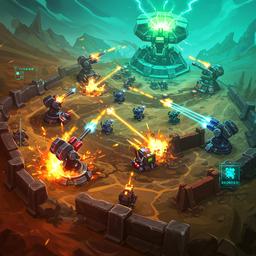 FieldrunnersTD
 HexBubble
 BalloonSlicer
 Driver
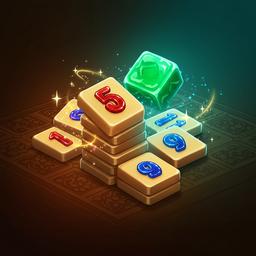 OkeyClassic
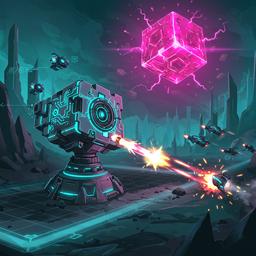 CubeTower
 Jeep
Jeep PuzzlebobbleDownload
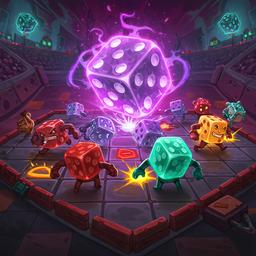 DiceGang
 DogEs
DogEs DrawTheRest
 TowerDefense
 BasketballGoal
 FruitKiller
 PiggyBank
 CandyColorSortPuzzle
 ImpulseBall
 SheepSheep
 DirtBikess
 CityRuns3D2
 TrainSnake
 MagicPuzzle
 PandemicSimulator
 CrazyShooter
 DiamondRush
 blockadeblitz
Sculptore is the identity behind GameSculptor, a browser-first arcade brand designed for players who want instant action without app stores, slow downloads, or device lock-in. The idea is simple: open a page, discover a game mood, and start playing in seconds. Instead of forcing players into one genre loop, Sculptore treats online gaming as a creative playground where quick sessions, strategic runs, puzzle focus, and skill-based retries can all live in one clean experience. The platform curates action, puzzle, racing, simulation, and arcade picks that run smoothly on modern desktop and mobile browsers, giving players a consistent flow from discovery to gameplay.
The brand personality combines retro arcade energy with modern product design. You can feel it in bold category labels, compact game cards, and clear navigation that helps both casual visitors and returning players find what they want fast. Sculptore is built for momentum: featured games surface quickly, category hubs reduce decision fatigue, and every detail page explains gameplay in a way that helps players perform better on the first try. This means the platform is not only a game list, it is a lightweight decision engine that guides players toward better sessions.
Another key part of Sculptore is accessibility in the broad sense. It supports low-friction play for students with short breaks, office users who want a five-minute reset, and experienced players who enjoy optimizing routes and reaction timing. Because the games load inside the browser, players can move between devices without relearning an interface. The platform structure also supports long-term exploration: once you finish one game, related categories and game pages help you find the next challenge naturally. That ecosystem effect is what makes Sculptore feel like a brand, not just a feed.
From a content perspective, Sculptore focuses on practical help. Every section aims to answer a real player question: what should I play now, how do I control it, why does this game feel difficult, and what habits improve my run consistency. In short, Sculptore stands for instant play, clear guidance, and repeatable fun. If your goal is to jump in quickly and still improve over time, the brand is shaped around that exact journey.
Sculptore also values trust signals that players can feel immediately. Pages are organized with clear hierarchy, game thumbnails are consistent, and key actions stay predictable across the site. That lowers cognitive load and helps new visitors become returning users. When a player lands on GameSculptor for the first time, the experience should answer three things in under a minute: what this platform is, what game fits right now, and how to begin without friction. This onboarding clarity is part of the brand promise and a major reason session depth keeps growing over time.
01
Browse the homepage carousel or All games list and pick a title that matches your current mood.
02
Open the game detail page to read the quick overview, controls, and strategy-focused tips.
03
Launch the game instantly in your browser and complete a short warm-up run to learn timing.
04
Replay with intent: track mistakes, adjust route choices, and move to harder categories.
Most Sculptore games follow familiar browser control standards so you can transfer muscle memory between titles. Movement usually maps to Arrow keys or WASD, with Space for jump, dash, or primary action depending on genre. Mouse controls are common in aiming or click-timing games, while touch controls on mobile are optimized for simple gestures and quick taps. The best workflow is to spend your first round identifying three inputs: movement, action, and pause/reset. Once those are clear, your improvement speed increases dramatically.
Sculptore is designed around fast discovery and reliable session quality. The homepage highlights featured picks while category pages organize the library by gameplay style, helping players avoid endless scrolling. Detail pages provide readable context so players understand objective, controls, and challenge pattern before starting. The interface is responsive and touch-friendly, making transitions between desktop and mobile seamless. The visual system keeps contrast and spacing consistent, so attention stays on gameplay rather than interface friction.
Beyond layout, Sculptore emphasizes repeatability. You can jump between quick runs, test different strategies, and discover adjacent genres without leaving the same ecosystem. This supports both casual and high-engagement behavior: a short five-minute play burst still feels complete, and longer sessions have enough depth through varied mechanics and progression loops. That balance is a core feature of the brand.
The platform is also built to reward exploration habits. Players who try multiple categories often discover transferable strengths, such as rhythm timing from racing games improving platforming precision, or puzzle planning improving simulation efficiency. Sculptore surfaces this cross-genre value through structured navigation and readable game context so every session contributes to better long-term performance, not just short-term fun.
Start with consistency over speed. In action and racing games, a stable route with fewer mistakes often beats aggressive play. In puzzle and simulation modes, identify recurring patterns before committing to a plan. Use your first attempt as a scan run, your second as a controlled run, and your third as a score attempt. If a level feels chaotic, reduce your decision points by focusing on one objective at a time. Finally, switch categories when your performance plateaus; a different genre can sharpen reaction or planning skills that transfer back to your main game.
No installation is required. Games are browser-based and launch directly from the game detail page.
Yes. The interface is responsive and optimized for both touch and keyboard-first sessions.
Use the top search box with a game name. The site will jump directly to the matching game detail page.
Break each run into phases, focus on one weakness, and replay with a single adjustment each attempt.